Blog / / 4 min read
Solo is on Linux
Solo runs on Linux now. Grab the signed x86-64 AppImage, or install it with Nix, and run your coding agents next to your dev stack.
Solo runs on Linux now!
You can grab it from the download page right now. It's a signed x86-64 AppImage that updates itself, same as the macOS and Windows apps. If you're on NixOS, or you just like managing things with Nix, there's a flake too.
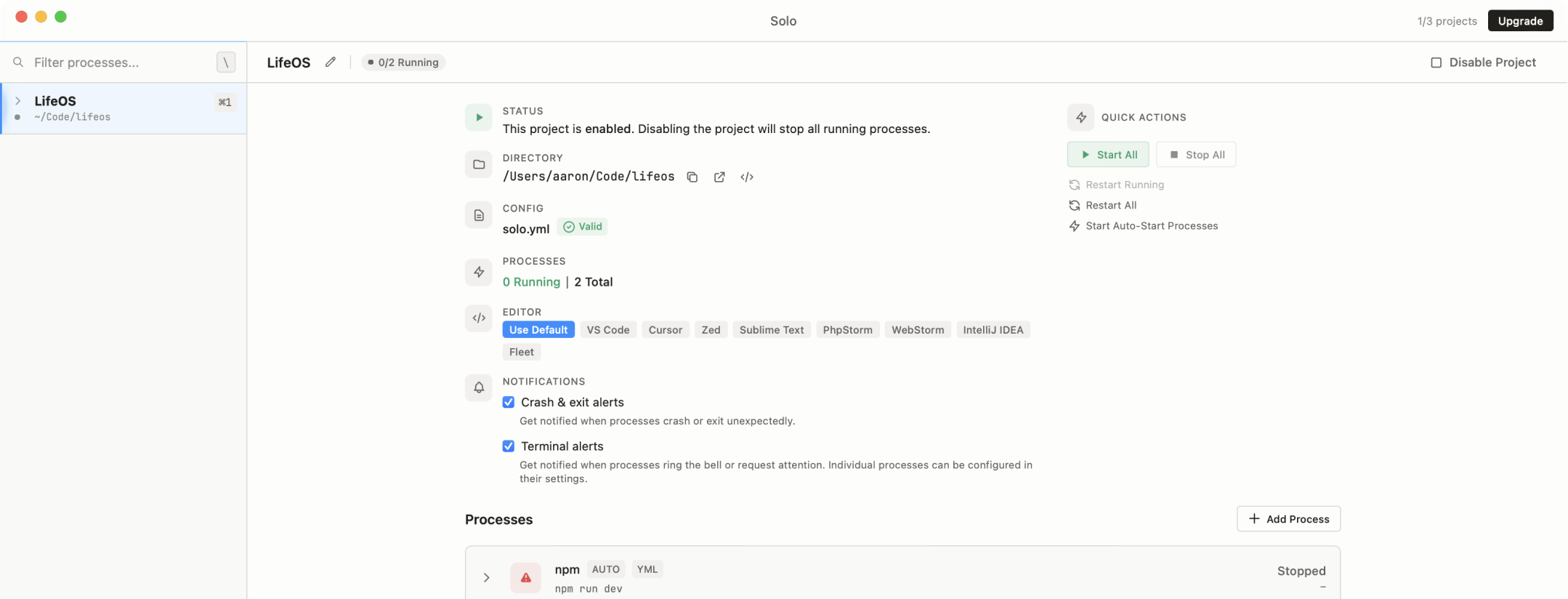
If you haven't used Solo before, it's a desktop app that runs your coding agents next to your dev stack. Claude Code, Codex, Amp, OpenCode, whatever you like, all in the same window as your app server, queue worker, logs, and shells. The agents can see all of that through MCP, and you can see what every one of them is up to. It's free for four projects and 20 processes.
Here's how to get it running.
The AppImage
Download the .AppImage, put it somewhere your user can write to (I'd use ~/Applications), and make it executable:
chmod +x Solo_*.AppImage
./Solo_*.AppImage
That's the whole install.
The "somewhere your user can write to" part matters, though. When a new version comes out, the updater replaces that exact file. Leave it somewhere read-only and the update has nowhere to go.
You need glibc 2.35 or newer, which means Ubuntu 22.04, Debian 12, or a current Fedora or Arch. The AppImage brings its own WebKitGTK and GTK, so there's nothing else to install. It uses your system's graphics driver and works on both X11 and Wayland. Every release gets launch-tested on Ubuntu, Debian, Fedora, and Arch before it goes out.
The Nix flake
If you'd rather have Nix manage it:
# Try it without installing anything
nix run github:soloterm/nix

# Install it into your profile
nix profile install github:soloterm/nix
On NixOS or Home Manager, add github:soloterm/nix as a flake input. The README has a config you can copy.
This isn't just the AppImage in a Nix-shaped box. The flake relinks Solo against nixpkgs' WebKitGTK and GTK, so it runs natively, shows up in your launcher, and installs the solo CLI and the mcp helper right alongside the app. Every hour it checks soloterm.com for a new release. When one goes out to everyone, it verifies the signature, builds the package, and actually launches Solo on NixOS before it updates.
Nix handles updates for this install, not Solo's built-in updater. Run nix profile upgrade --all, or nix flake update solo in your config. If 0.11.1 offers you an in-app update on a Nix install, skip it and let Nix do its thing.
Why there's no 0.11.0
Linux was supposed to ship in 0.11.0. It didn't, and the reason is kind of great.
An AppImage bundles a lot of libraries so it behaves the same on every distro. One of the libraries ours bundled was the Wayland client library. On distros with a current Mesa, like Arch, our older copy of that library kept the system's graphics driver from loading. No driver means WebKit can't render anything, which means Solo opened to a completely blank window.
A blank window is not a great launch!
So the AppImage now uses your system's Wayland libraries instead of its own, and we skipped 0.11.0 entirely. 0.11.1 is the first Linux release.
If you happened to get an earlier build and saw that blank window, download the current AppImage and replace your old file with it. The updater lives inside that window, so it can't fix a copy that never draws anything.
A few Linux-specific things
Some things work a little differently on Linux, on purpose:
- Solo draws its own title bar and window controls instead of attaching a GTK application menu.
- It keeps your system's font rendering rather than applying macOS-style font smoothing.
- File and folder pickers go through the desktop portal, so they size properly on tiling window managers.
- If a window is running on a software renderer, like llvmpipe in a VM, an XRDP session, or a machine with no GPU, Solo notices and switches terminals to a drawing mode that works reliably there. You can force it with
SOLOTERM_LINUX_SOFTWARE_RENDERING=1.
What's missing
A few things to know before you jump in:
- It's x86-64 only. There's no ARM build.
- The AppImage doesn't add itself to your app launcher. Gear Lever or AppImageLauncher will do that for you. (The Nix flake does add one.)
- If launching prints
Cannot mount AppImage, install your distro'sfuse3package, or skip FUSE with./Solo_*.AppImage --appimage-extract-and-run. - With Nix on a distro other than NixOS, you may need nixGL so Solo can find your GPU drivers.
The installation docs cover all of this in more detail.
Go try it
Download it, point it at a project, and start an agent.
Linux is brand new, so I really want to hear when something breaks. Use Help → Report an issue in the app and tell me what happened.